
Navigation to Excel Sheets

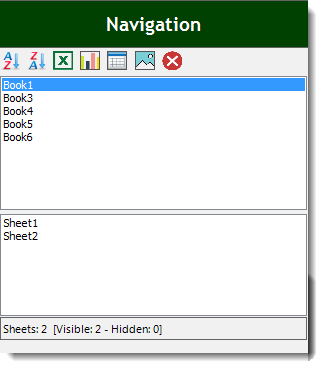
If you have many opened workbooks and want to navigate to a certain workbook that includes charts or pictures or whatever, then this utility will help you to navigate easily from a single pane that can show all workbooks with their related sheets or even filter the workbooks that include charts, pictures, pivot tables, etc. Dose for Excel‘s Navigation utility can facilitate your moving from workbook to another when big number of workbooks are opened.
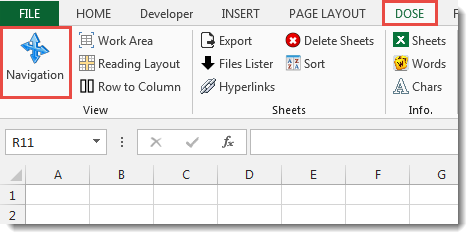
Click DOSE » Navigation

Usage:
- Check the option you need to filter workbooks.
a. All workbooks.
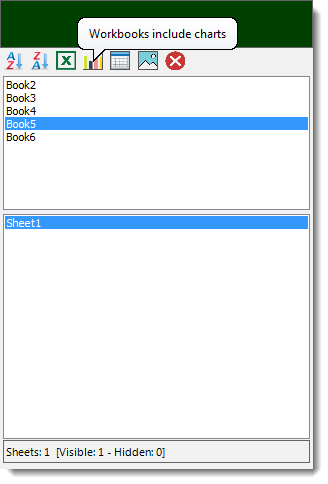
b. Workbooks include charts.
c. Workbooks include Pivot Tables.
d. Workbooks include pictures.
e. Close the selected workbook. - Select a workbook from the list.
- Then double click on the worksheet to navigate to it. You will see the result as shown in the below screenshot.
Demo
More Features:
Excel Cells Color Assistant
Advanced Cells Formatting And Coloring In Excel Build your format and color templates by yourself,…
Excel Fill Blank Cells
Fill Blank Cells In Excel Range Fill blank cells in a range of cells could…
How To Sum And Count Cells By Color In Excel
Sum and count and average cells by color in Excel To make the data stand…
How To Insert Checkbox In Excel
Batch Insert Check Boxes In Excel Insert a batch of checkboxes into selected cells without…
Excel Hyperlinks Sheet Names
Convert All Your Worksheets into Hyperlinks in One Worksheet Extract all sheets names as hyperlinks…
How To Color Alternate Row In Excel
Color alternate row or column in Excel With this utility you can quickly apply shading…