
Advanced Cells Formatting And Coloring In Excel
Build your format and color templates by yourself, and start re-using them in Excel every time you want to color and format cells in Excel. Dose for Excel‘s Cell Format utility can easily create format templates to be used easily with one click.
Click DOSE » Format » Cell Format
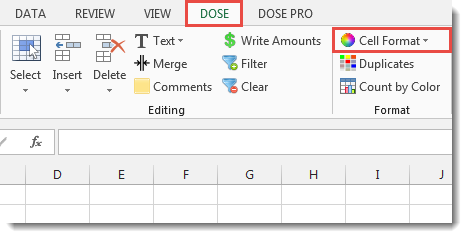

Usage:
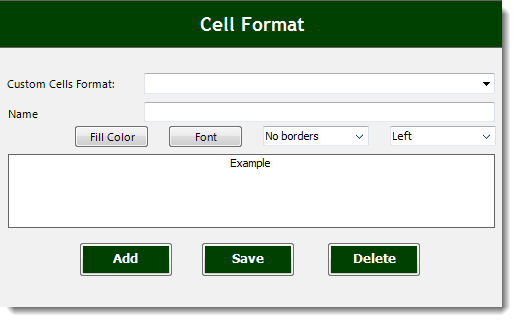
- Click on DOSE » Cell Format to add cell format template.
- Fill the name of the template, back color, font, etc.. and click on “Add” button.
- Select a range of cells.
- And then click on Dose » Cell Format » template button you want. See screenshots:


More Features:
Excel Hyperlinks Sheet Names
Convert All Your Worksheets into Hyperlinks in One Worksheet Extract all sheets names as hyperlinks…
Excel Batch Delete Check Boxes
Excel Batch Delete Check Boxes In Excel Batch deleting check boxes in selected cells without…
How To Color Alternate Row In Excel
Color alternate row or column in Excel With this utility you can quickly apply shading…
Excel Delete Blank Sheets
Delete All Empty Worksheets Excel Delete all blank or empty sheets in Excel one time…
Excel Import Files Names
Import Files Names From Your Folder Into Excel Import your directory or folder files names…
Excel Remove All Macros
Remove All Macros From Excel Workbooks Delete Macros, User Forms, VBA modules, etc. from Excel…